Microsoft licensing guide
How to Enter a Product Key and Activate Office 2019, 2021, and 2024
Install and activate Office 2019, 2021, or 2024 with a Microsoft account, then check activation status and resolve common product-key errors safely.
Identify the license path first
Office 2019, Office 2021, and Office 2024 use the same core Microsoft-account flow for eligible retail or product-key editions. Terms such as ESD, FPP, PKC, and OEM do not by themselves establish transfer rights or a single path for every edition; check the purchase record, packaging, and Microsoft account.
Redeem a new product key
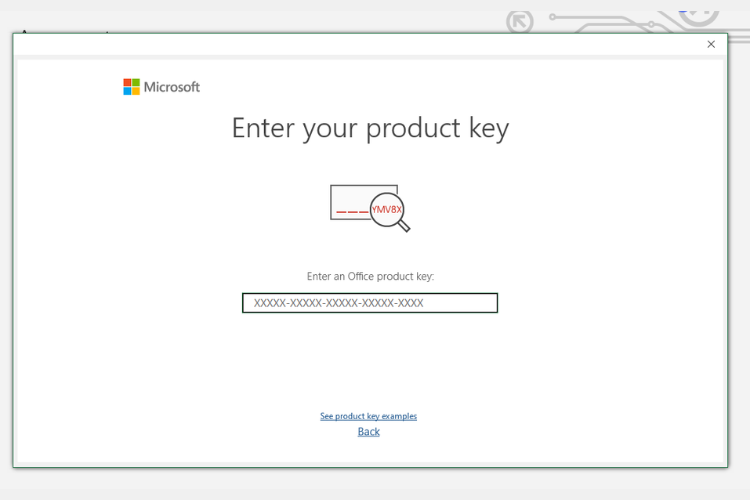
Use the Microsoft setup page only when the product instructions require redemption. Sign in with the Microsoft account that will manage the license, then enter a new key when prompted. Do not share the full 25-character key, password, or verification code.
Reinstall from the linked account
When Office is already listed in Services & subscriptions, install the matching edition from that account. A message that a key has already been used usually means you should recover or use the account that redeemed it, rather than retrying the key.
Resolve edition, region, and Unlicensed Product errors
Do not change a device region, use a VPN, or force a different edition to bypass a licensing message. Record the exact error and the File > Account screen with sensitive information hidden, then check the account, edition, and original order before reinstalling.
Plan the supported next step
Office 2019 reached end of support on 14 October 2025. Office 2021 reaches end of support on 14 October 2026. For a new purchase or a device change, compare Office 2024 with Microsoft 365 based on desktop apps, cloud services, user count, VAT needs, and term.
Quick decision checklist
| Check | What to confirm | Evidence to keep |
|---|---|---|
| Product | Exact edition, SKU, and device or user count | Quote or order confirmation |
| License | Format, duration, transfer rights, and activation method | License or account assignment details |
| Handover | Official installer, activation support, and VAT requirements | Invoice, email, and deployment record |
Frequently asked questions
Official and supporting sources
Sales and licensing support
Contact us directly
Choose the channel you use. We confirm the edition, license format, availability, VAT details, and handover before an order is placed.